Record · Recognize · Recall
Your meetings shouldn't live on someone else's server.
Cloud meeting tools store your recordings under their terms — and many use them to train their models. Daisy keeps everything on your machine: it records, transcribes, identifies speakers, and turns the conversation into the work itself — a summary, user stories, action items — in a style you define. No bot, no account, no per-seat fee.
30-day trial · no account · Linux · Windows · macOS
- On-device by default
- Bring your own LLM or key
- Nothing joins your call
Put it to work
One conversation, many outcomes.
The recording is just the start. Here’s what people turn a conversation into.
From conversation to backlog
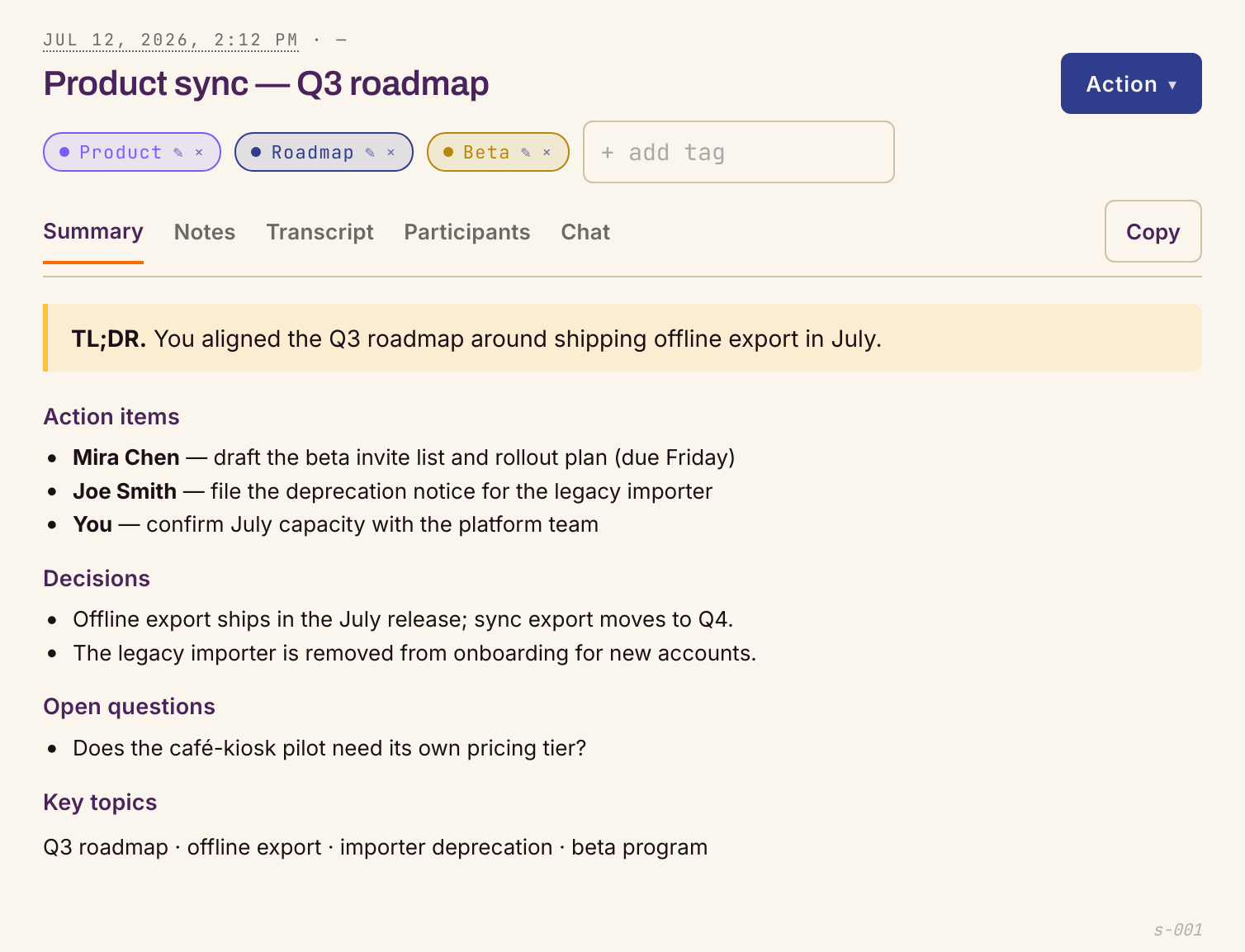
Run a discovery call and walk away with user stories, acceptance criteria, and design notes — each tied to who actually asked for it. Your own summary style sets the format; voiceprints handle the attribution.
Never lose a client detail
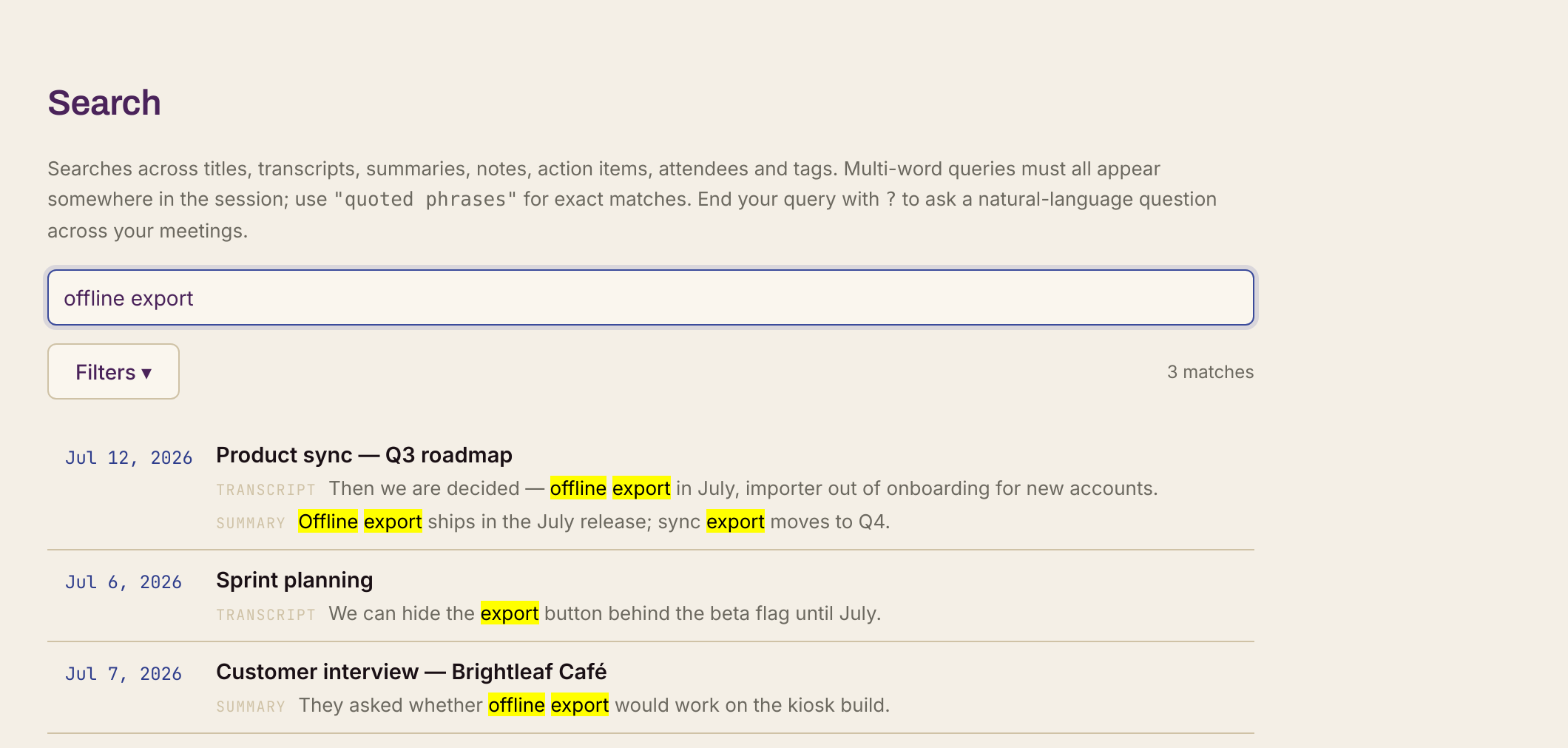
Every call becomes a private, searchable record. Ask what a client decided three months ago and get the answer with citations — without a single recording leaving your machine.
Record what the cloud can’t
Legal intake, HR conversations, care notes, anything under NDA. No bot joins the call and your audio never leaves your computer — so these are conversations you can capture at all.
HIPAA & PHI guide →The difference
A private alternative to cloud meeting tools.
Most meeting tools send your audio to their cloud, charge per seat, and store your transcripts on their servers. Daisy keeps recording, transcription, and speaker identification on your machine.
| Others | Daisy | |
|---|---|---|
| Where your audio goes | Their cloud | Your machine |
| Speaker identification | Their servers | On-device |
| Language model | Fixed, theirs | Yours — local or BYO key |
| Pricing | Per seat | One license, 3 devices |
| Works offline | No | Yes |
| Bot in the call | Yes | No |
Summaries need a language model — run one locally or bring a cloud key. See Daisy next to Otter, Fireflies, Fathom & Granola →
Diarization
Know who said what.
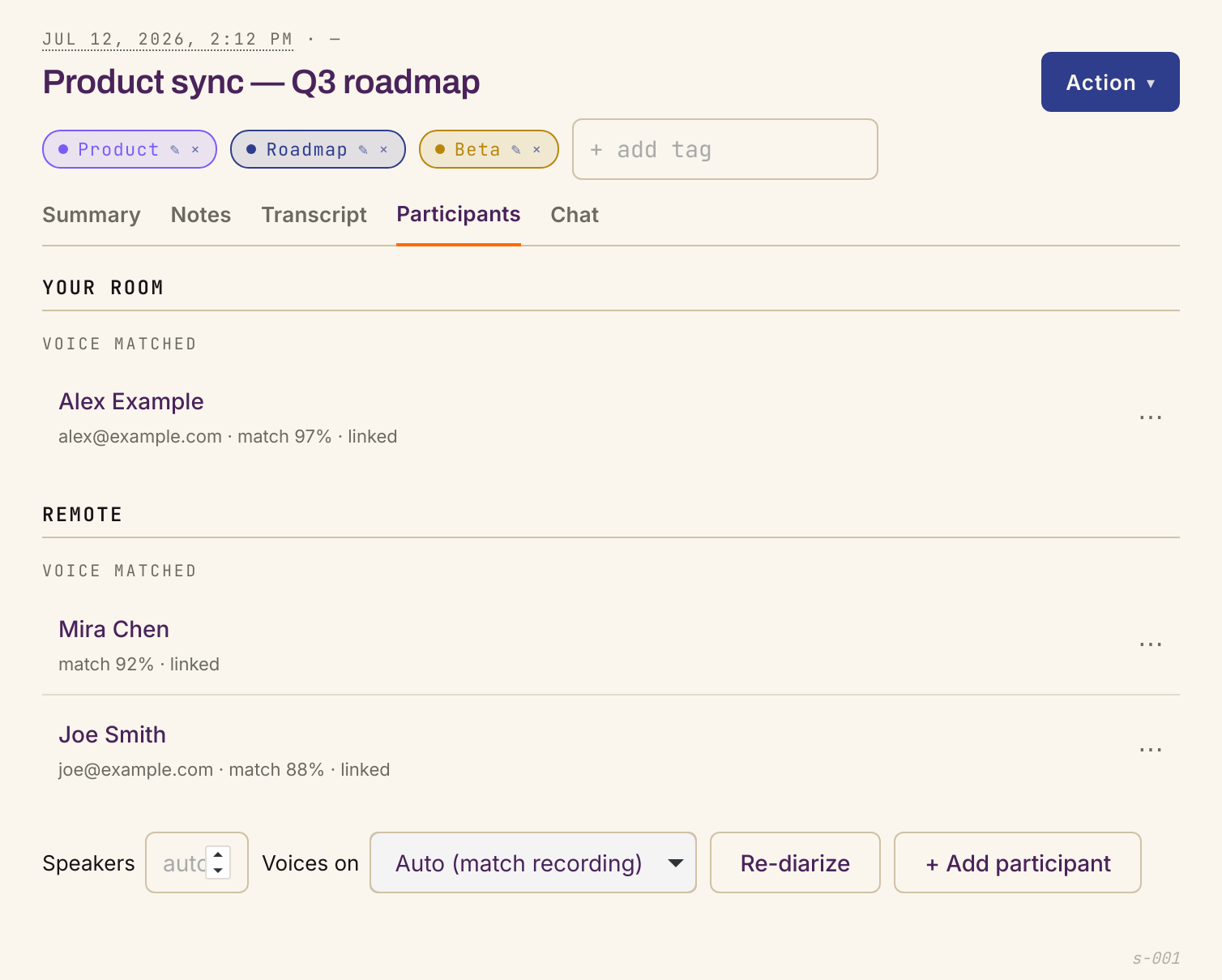
On-device speaker identification splits every voice — no bot, nothing uploaded. Diarization runs locally and free no matter how you transcribe. Label someone once and Daisy recognizes them the next time they speak.
- Always on-device
- Encrypted voiceprints
- Label once, remembered
Capture
Record or import anything.
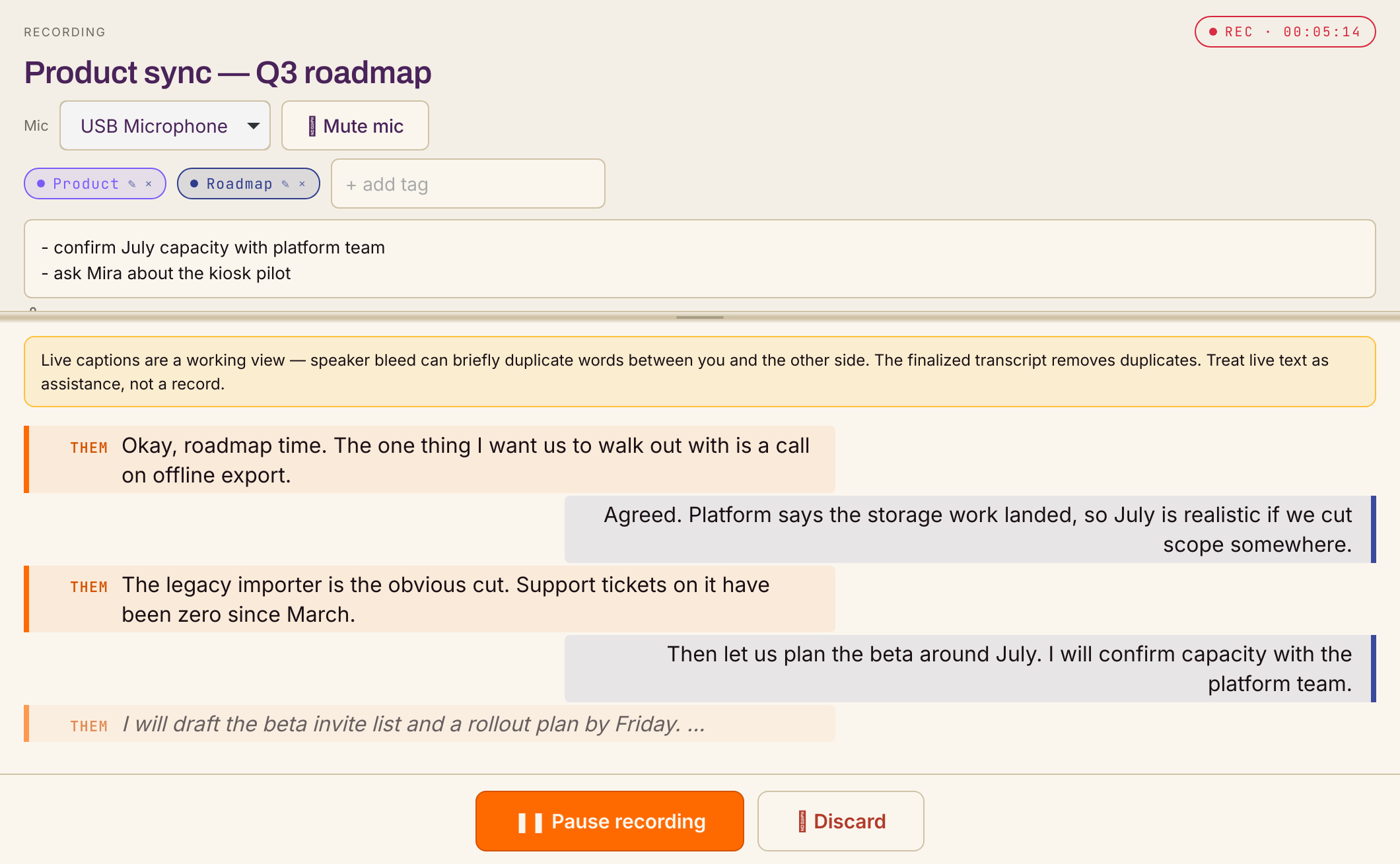
Daisy hears both sides at once — your mic and your speakers. Zoom, Meet, Teams, Discord, a phone call, a podcast. Nothing joins the call. Recorded somewhere else? Drop the file in and Daisy treats it like a live capture.
- No bot in your call
- Both sides at once
- Import any audio file
Recall
Remember everything.
Every meeting becomes a searchable record: a first-person summary, action items, decisions, and key topics — written by the LLM you choose, local or BYO key. Search across the lot, or ask a question and get an answer with citations.
- First-person summaries
- Search everything
- Ask with citations
Privacy First
Your conversations stay yours.
Most meeting AI ships your audio to someone else's cloud, stores your transcripts under their terms, and runs them through a model you don't control. Daisy inverts that: private by default, your choice to extend.
How your data is handled →Handle PHI? Daisy can be configured to keep it on your device. HIPAA & PHI guide →
Your audio never leaves
Recordings and transcripts live on disk in a folder you choose — uploaded only if you press “Send to…” or pick a cloud provider.
An encrypted vault, no recovery
Provider keys and voiceprints sit in an encrypted vault. The passphrase never leaves your laptop — there is no password reset.
Delete means delete
Remove a meeting and Daisy wipes its audio, transcript, summary, notes, and index. Move the folder and your meetings move with you.
Pricing
Pick a plan. Own your notes.
One tool, three ways to pay. Every plan is the full Daisy — same features, same 3-device license, no account required.
Perpetual
$169one-time
- Yours forever — no subscription
- Every update through Daisy 2.x
- Up to 3 devices
- Future majors: optional discounted upgrade
All plans: full feature set, 30-day free trial first, offline license verification, no account required. AI features (summaries, Q&A, analysis) use your own local LLM or your own API key.
Ready when you are
Keep your meetings on your machine.
A single AppImage on Linux, a portable folder on Windows, a .dmg on Apple Silicon. No installer required, no account, no system changes. Recording stays on your laptop — and so does everything it hears.
30-day trial · no account · one license, 3 devices
On Windows, the installer is best for most people. Prefer no install? Grab the portable zip →
- On-device by default
- No bot in your call
- Bring your own LLM
New here? Read the 6-step setup · Release notes
 Daisy · Editions
- Download
Linux
AppImage · x86_64 · v2.0.0
- Download
Windows
NSIS installer · x86_64 · v2.0.0
- Download
Windows · Portable
No install · x86_64 · v2.0.0
- Download
macOS
Apple Silicon · .dmg · v2.0.0